

laptop is great things and very useful portable device with sleekness design and powerful processor and it can do your any work easily from helping in studies and in office work and even finding good recipie on internet and lot more things. basically it is second friend of yours and you can put any images and videos easily for upcoming days as well or for memories
this technologies are good but their is possibilities that your things can get easily lost in laptop space even though it is still present thier you cant find it easily
why? because now a days for human convinience , company is giving hard disk of 1 tb or 2 tb as well and if you dont know what is 1tb size means , its basically “1000 GB = 1TB space ” and because of this huge space sometiems we put so many random photo and forget about arranging them and that cause problem when after some months or year as well
so its very necessary to declutter your laptop like your room or whole house because laptop is like house of your important documents , photos , videos and audios . but question is how we can declutter it easily ? the answer is thier is no easy way you have to do manually if you want fully arrange and clean laptop
but their are 3 steps that i used in my daily life to declutter my laptop and you can too and you become from sad to happy and more productive person

so lets get started …..
1) DELETE ALL THE USELESS FOLDERS :-
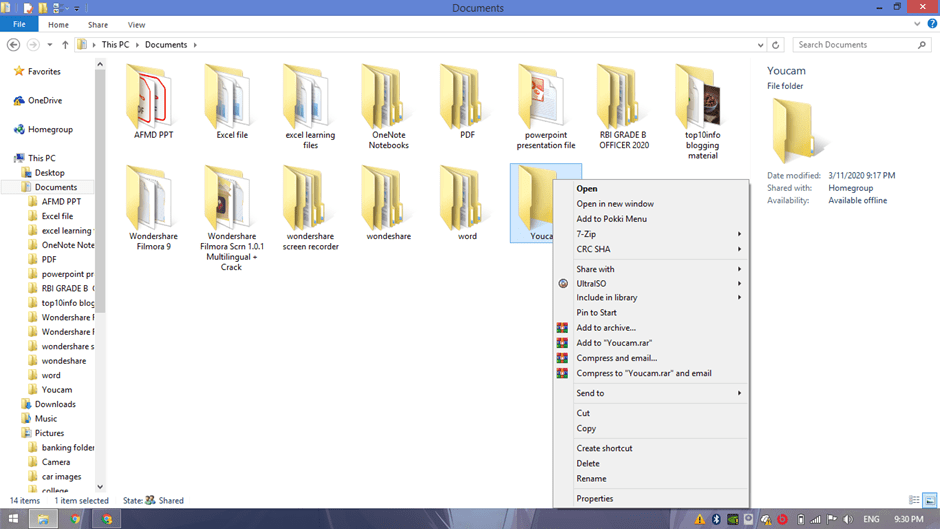
First steps of decluttering your laptop or desktop includes ” DELETE ALL USELESS OR UNNECESSARY FILES” but why ? because this eat your space and create lots of confusion when you search any particular files or some images which dont know where you will find or where you put in past
2) RENAME ALL FILES ACCORDING TO THEIR CATEGORIES:-
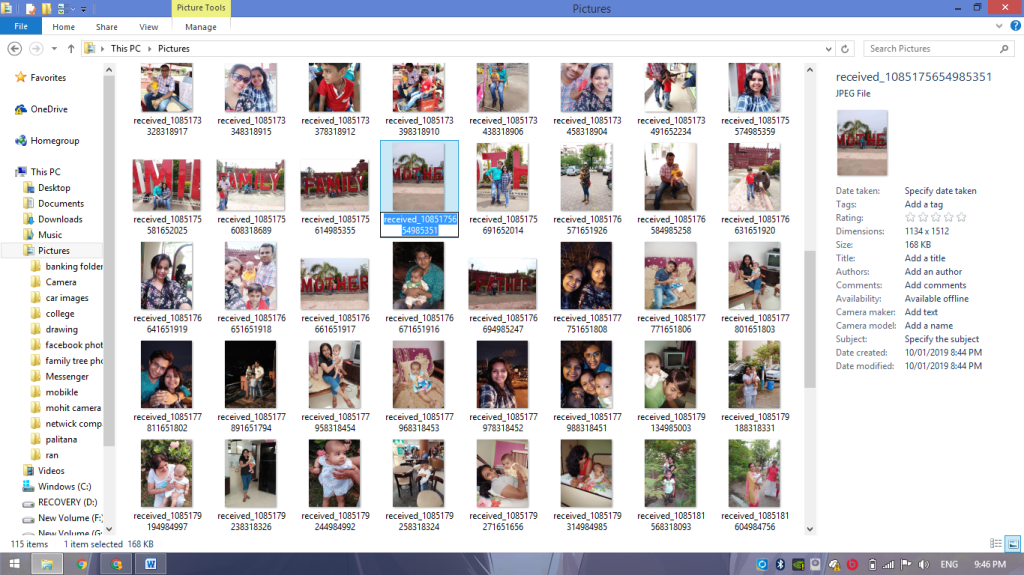
Next steps is to rename all the files according to their categories manually . i know it difficult and tedious process but you have to do if you want your laptop to be fully clean . No software can do your work like how you do it manually trust me , so do it manually even though it takes time
3) LAST STEP – “MAKE TREE STRUCTURE” :-
yes this step is most crucial if you real want to see your laptop a ” A HIGLY PRODUCTIVE MACHINE ” . to implement this step make sure you successfully done first two steps
now open the folder area and decide one big folder in which all the related subfolder will come this is also know as ” tree structure ” . if your remember this structure we used for family , yes its same structure but in place of family member we create subfolder inside main folder according to your document , photos and videos
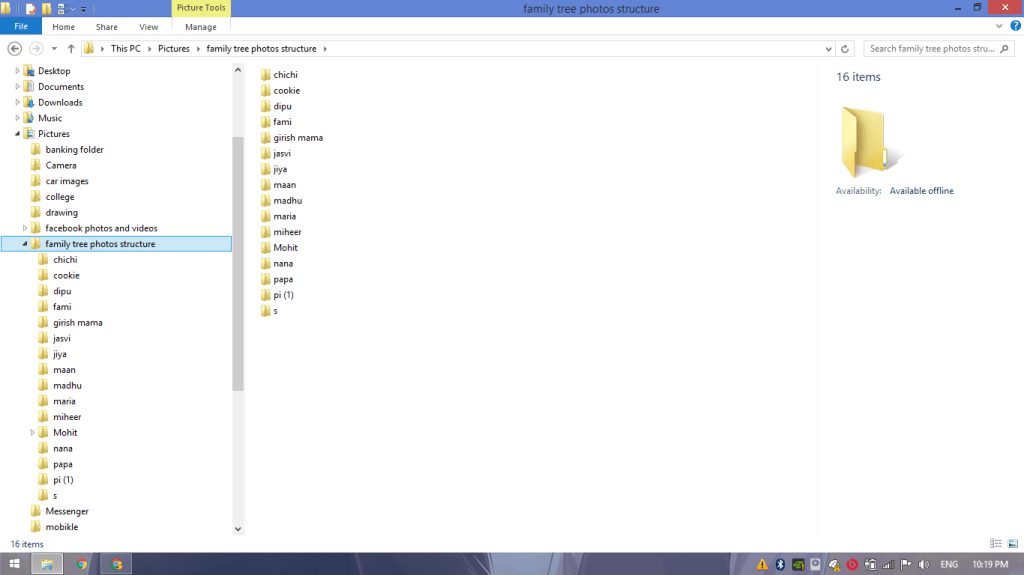
so this is all 3 simplest steps by which you can declutter your laptop in 2020 manually . i know many softwares are available in the market but manually things are just very useful than software things
so if you like this new blog on decluttering laptop than please share with others people , friend and family members on various social media websites
because now many people working from home and to effectively work they need clutter free machines so
we meet you in next blog so stay tuned with top10info , be happy stay productive like this ❤
 top10info